 SBM LabsTCG
Install and sign in
You need Google Chrome on a computer. It takes about two minutes.
Add it to Chrome
Open SBM Labs TCG on the Chrome Web Store and click Add to Chrome, then Add extension.
Pin it to your toolbar
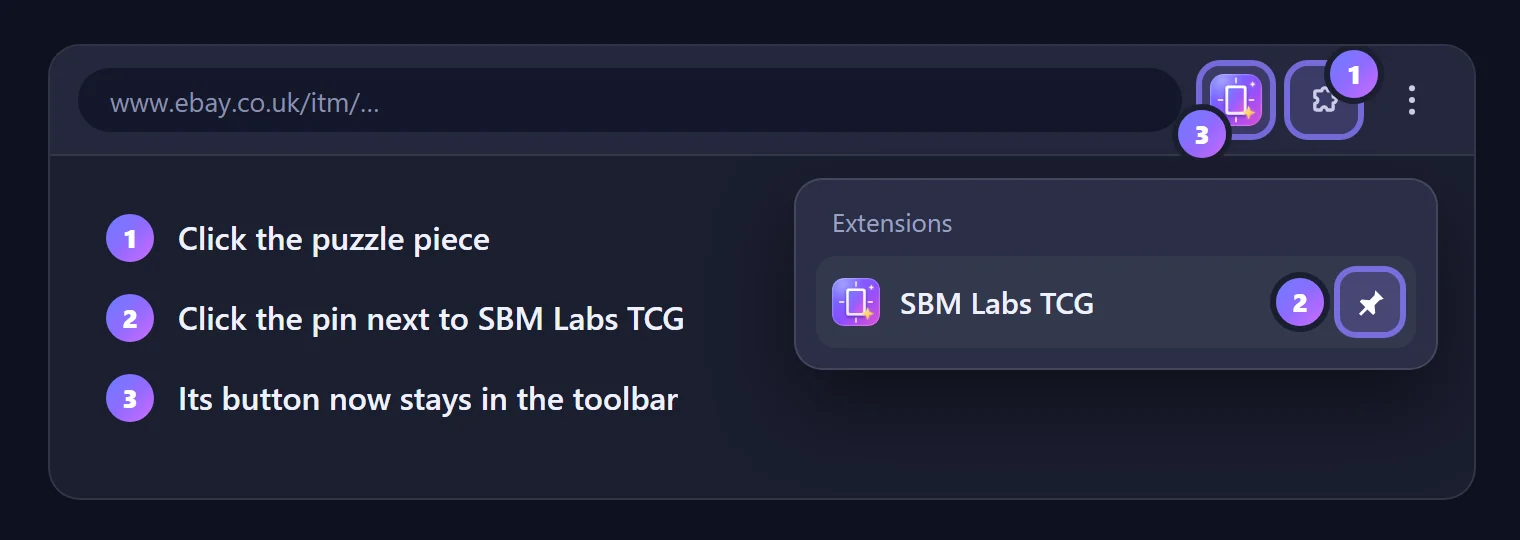
Chrome tucks new extensions away under the puzzle piece at the top right. Pin SBM Labs TCG so its button is always one click away.
Sign in
Click the SBM Labs TCG button. Its settings page opens at Server. Click Sign in with Google and pick your account.
Joined with your email instead? Open Have an access code instead?, paste the code from our email and click Use the code.
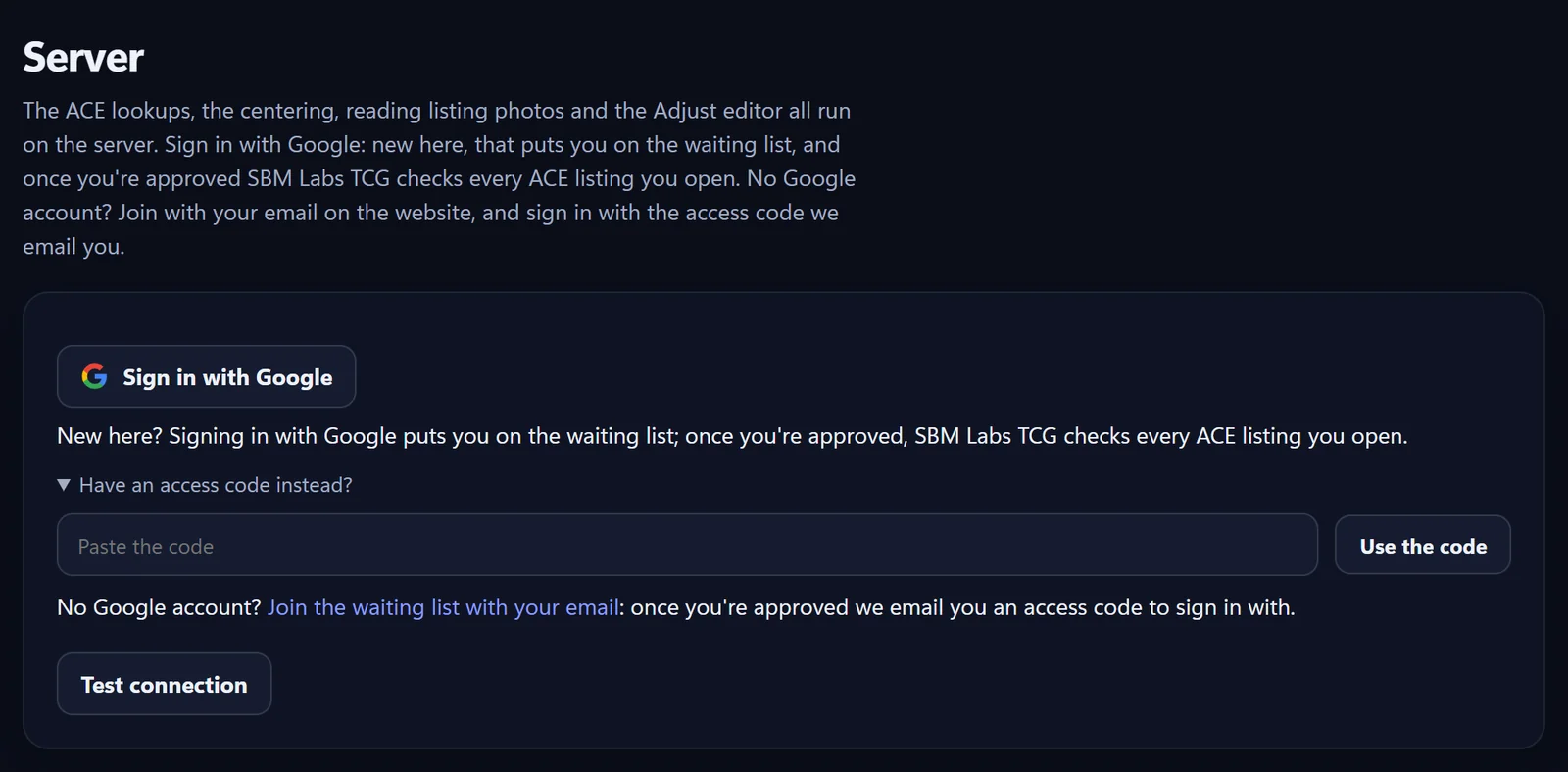
New here? Signing in puts you on the waiting list. We let people in a few at a time and email you when you're in: then sign in again. Join the waiting list
You're ready
Your email now shows at the top of Server, with how much you've used today.

Open a card's listing on eBay and the SBM Labs TCG panel appears on the right. Next: reading the panel.
It works on eBay UK, US, Ireland, Australia and Canada (ebay.co.uk, ebay.com, ebay.ie, ebay.com.au and ebay.ca).