 SBM LabsTCG
Raw cards
For a card that isn't graded. Point at the listing's photo of the card and click Measure centering. In a few seconds you'll see the grade each company could give it on centering.

Point at the card's photo
Open the listing and move your mouse over the big photo of the card. A purple Measure centering button appears in its top left corner.
It doesn't show on the small thumbnails: open the photo you want first.
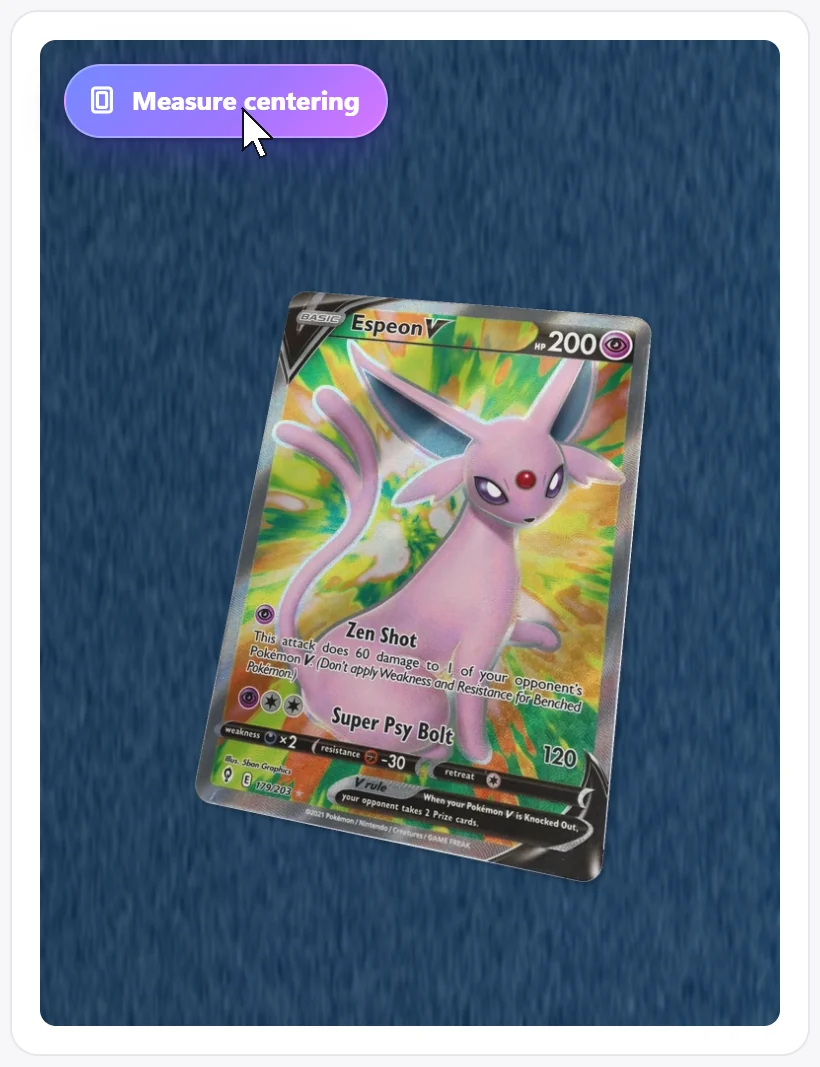
Click Measure centering
The button says Measuring… for a few seconds. You don't need to do anything else.
Read the result
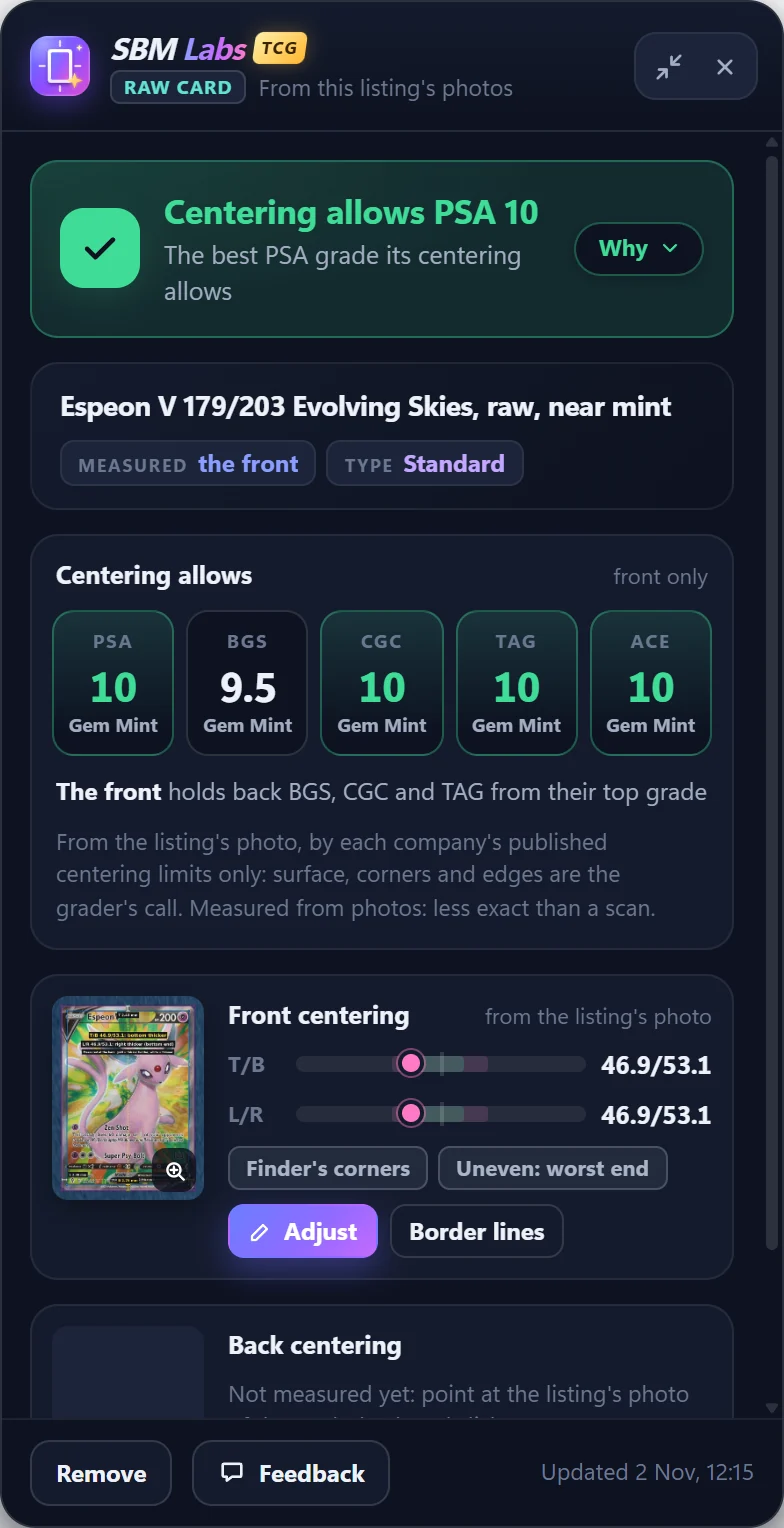
The panel opens with the answer at the top: the best PSA grade its centering allows.
Centering allows shows the best grade each company could give for this centering.
Below, the front's centering: T/B is top against bottom, L/R left against right. Finder's corners means our card finder placed the card's corners for you.
Add the back
Find the listing's photo of the back of the card, point at it and click Measure centering again. Centering allows now covers the front and the back.
Check the corners (if you like)
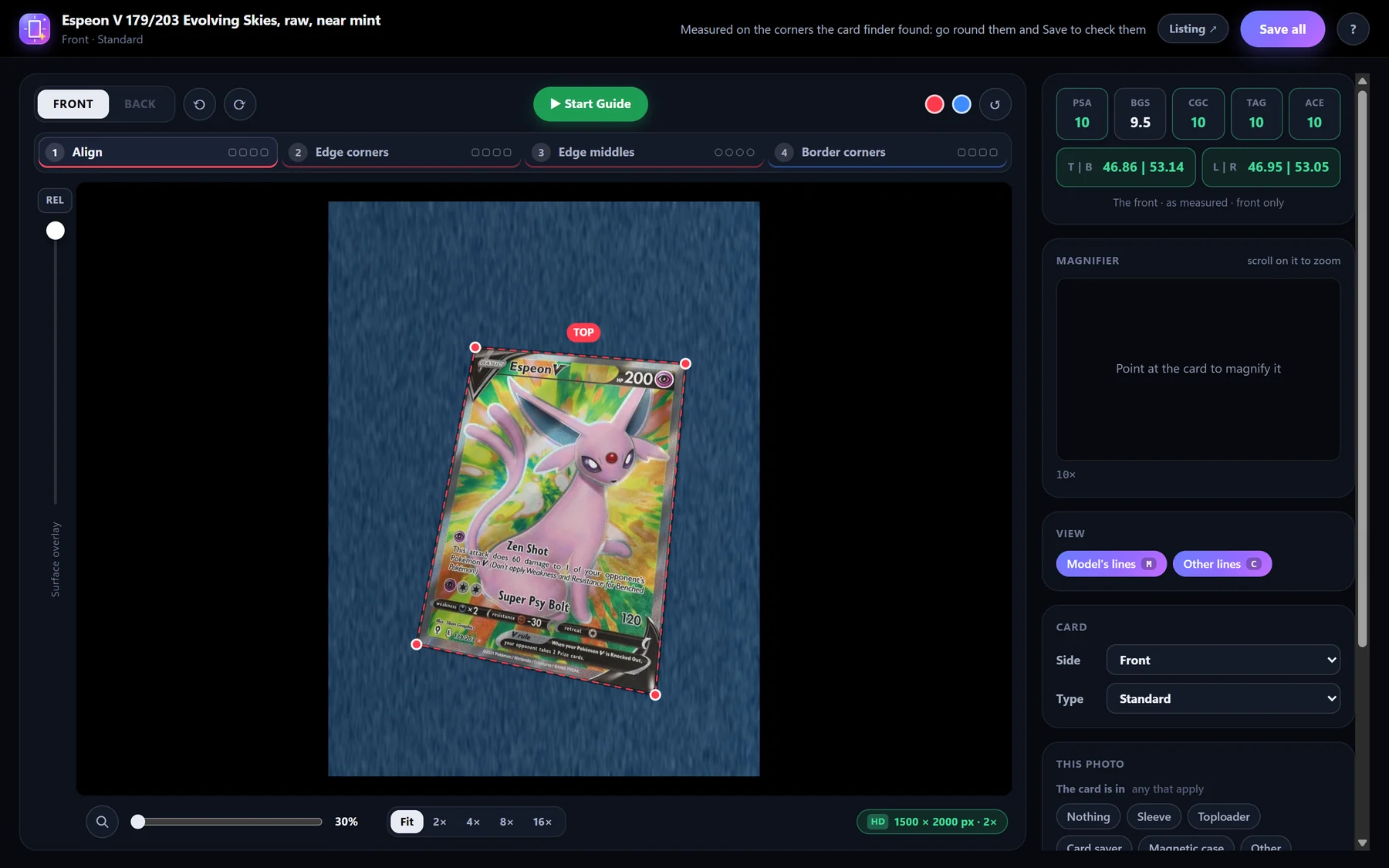
Want to be sure? Click Adjust in the panel. The measuring page opens on the photo, with the card's four corners as red dots.
Click Start Guide: it zooms in on each corner in turn. If a dot isn't exactly on the card's corner, drag it there, then click Next. After the fourth corner, click Save.
Check the border lines
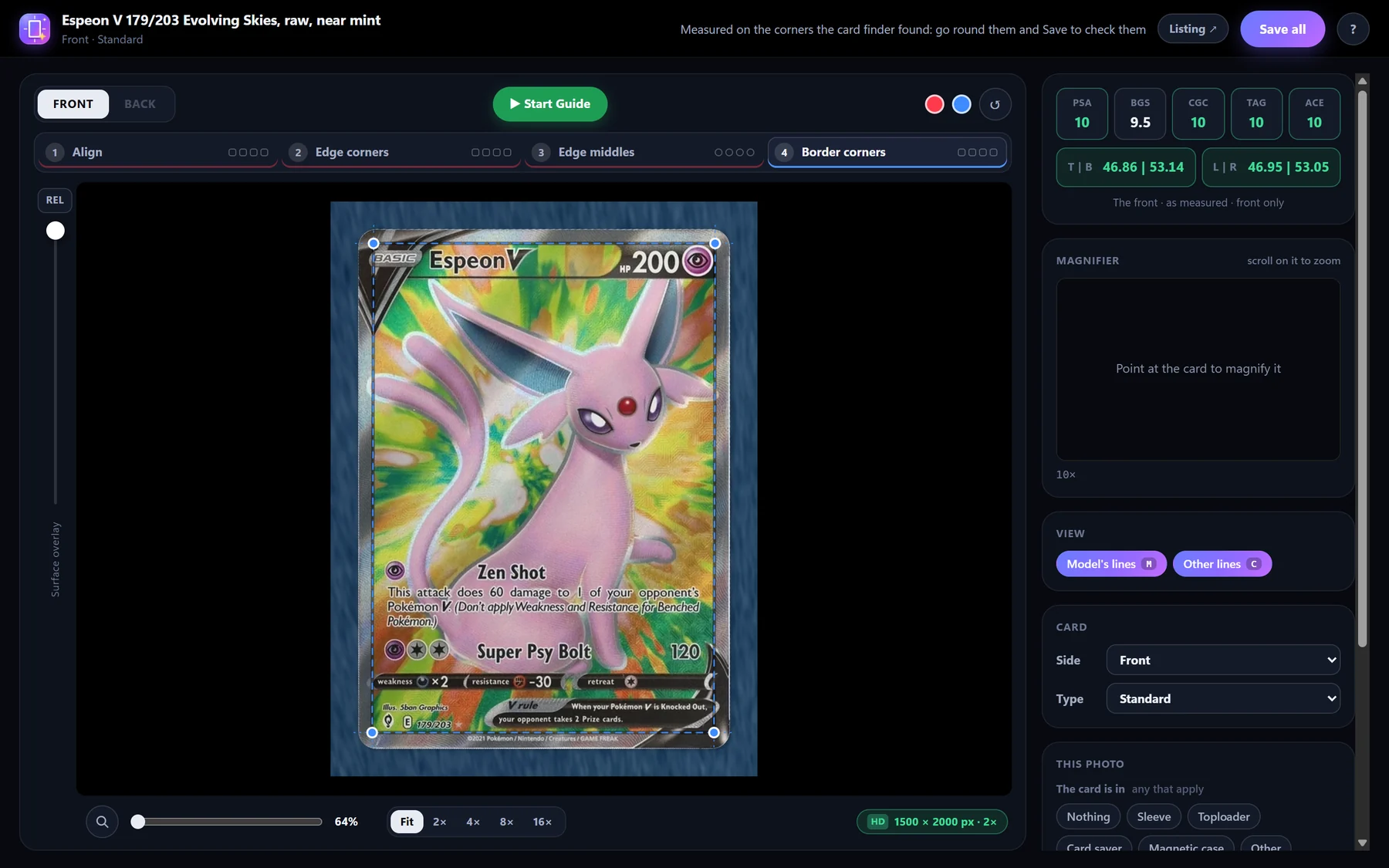
Next it shows the card flattened. The stages along the top take you round the card's edge, then the printed border (the blue line). Same again: Start Guide, move any dot that's off, Next, then Save. The panel updates with your lines.
Good photos measure best: the whole card in view, taken straight on, sharp and without glare. A sleeve or a toploader is fine.
A photo is less exact than a grading company's scan, so treat the result as a strong hint, not a grade. Your raw cards are kept on the settings page under Raw cards.