 SBM LabsTCG
Feedback and problems
Something looks wrong, or isn't working? Here's what to do.
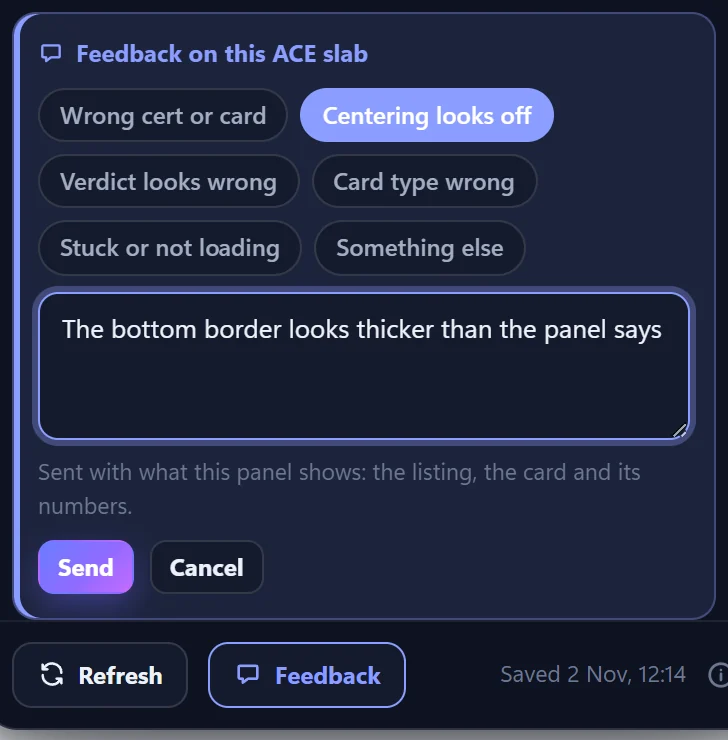
Send feedback from the panel
Click Feedback at the bottom of any panel. Pick what looks wrong, add a note if you like, and click Send.
It sends us exactly what the panel showed, so we can look into it.
Common problems
The panel asks me to sign in
Click Sign in in the panel, or the SBM Labs TCG button, then Sign in with Google (or your access code) under Server. See Install and sign in.
It says I'm on the waiting list
We let people in a few at a time and email you when you're in. Then sign in again.
There's no panel on a listing
The panel opens on listings of ACE and PSA slabs. For a raw card, point at its photo and click Measure centering. Check it's an eBay listing (ebay.co.uk, .com, .ie, .com.au or .ca), and try reloading the page.
It's taking a long time
A card nobody has checked before is looked up and measured first, which can take up to a minute. The panel updates by itself.
I see two panels
You probably still have the zip version from the beta. Open chrome://extensions and remove the older SBM Labs TCG.
It says my daily limit is used up
There's a daily limit on new lookups and photos. It resets at midnight, UK time. Cards already checked don't count.
The measurement looks wrong
Send Feedback from the panel, or move the lines yourself: see Adjust the lines yourself.
Still stuck?
Use the contact form and we'll get back to you.